xTool P2 / P2S jig for rectangle aluminum keychain blanks
With 0.2 mm clearance per side, 4 mm webs and a 8 mm margin, the xTool P2 / P2S's 600 × 305 mm work area fits 54 pockets for rectangle aluminum keychain blanks, in 6 rows of 9 with the blanks turned 90°. Staggering the rows does not help with this shape, so the grid is the best layout.
- Blanks per run
- 54
- Layout
- 6 rows of 9, turned 90°
- Blank
- 40.6 × 57.15 × 1.14 mm (1.6 × 2.25 in)
- 57.55 × 41 mm
- Clearance
- 0.2 mm per side
- Jig
- Laser-cut 3 mm sheet, through-holes
- Plate
- 600 × 305 mm, 8 mm margin, 4 mm webs
- Tallest point
- 3 mm (limit 64 mm)
- Cut path
- 12.14 m
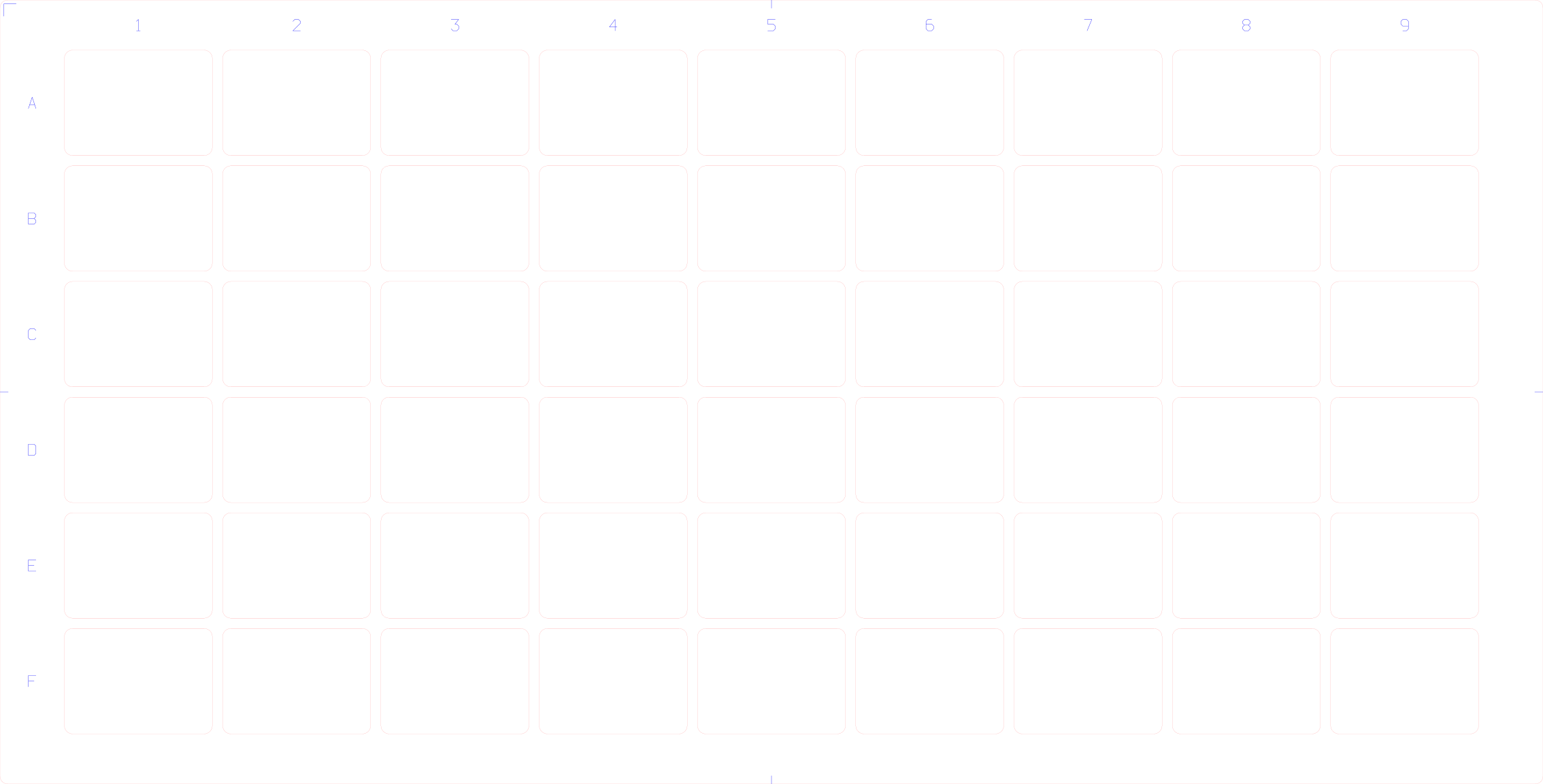
Cut file in millimetres: red = cut, blue = engraved labels and marks. Adjust anything below and download the 3MF, STL, DXF and alignment template.
What to know before you cut
The 0.2 mm starting clearance assumes a laser-cut acrylic, MDF or plywood jig. Cut the test-fit coupon (0.0 to 0.5 mm) in the generator before the full plate: blanks from different suppliers vary, and the laser's kerf makes cut holes slightly larger than drawn.
As a laser-cut 3 mm sheet with through-holes, the blanks rest on the bed or honeycomb and their surface sits 1.86 mm below the top of the jig, so focus on the blank, not the sheet.
Cut the jig and leave the sheet on the bed: the pockets are then exactly where the machine thinks they are. The cut file has 12.14 m of cut path on a 600 × 305 mm sheet, with row letters and column numbers engraved in the margin.
The 3 mm corner radius is an estimate; measure one blank and adjust it in the generator if the corners bind.
Blanks sit 1.9 mm below the jig top: focus the laser on the blank surface, not on the jig.
Adjust this jig
The generator below starts from this machine and blank. Change the clearance, layout or jig build, then download the files.
54 pockets, 6 rows of 9, turned 90°, on a 600 mm × 305 mm plate.
- Pockets
- 54
- Plate
- 600 mm × 305 mm
- Cut path
- 12.15 m
- Sheet used
- 1830 cm²
- Tallest point
- 3 mm of 64 mm
- Blanks sit 1.9 mm below the jig top: focus the laser on the blank surface, not on the jig.
Cut it
Red = cut, blue = engrave. Millimetre units.
Print it
Through-holes in a plate. Millimetres.
Line up the artwork
Template with pocket centres, blank edge, bleed and safe area, placed where the jig sits on the machine.
Other xTool P2 / P2S jigs
- Coaster, 4 in square: 10 per run
- Slate coaster, 100 mm square: 10 per run
Guides
Sources
- xTool P2S honeycomb working area (xTool support) (work area, checked 2026-10-17)
- Unisub rectangle keychain blank (Swing Design) (blank size)
Machine and product names are used only to describe compatibility. Pocketplate is not affiliated with xTool.
Get blank packs and Pro first
Everything here is free during the beta. Ready-made packs for common blanks and a Pro tier are next. Tell us which one you would pay for.